Open standardApache-2.0 · CC BY 4.0Format 1.0
Electrical diagrams, as code.
An open standard to describe electrical installations (sources, protective devices, cables, loads) in JSON or Python. From one file any tool can read: single-line and multi-line drawings, compliance checks, bills of materials and wire lists. No coordinates, no CAD file: a text file you can diff and review.
pip install uniwire{ "$schema": "https://uniwire.sh/schema/v1/uniwire.schema.json", "uniwire": "1.0.0", "profiles": ["nfc15100"], "meta": { "title": "House: consumer unit", "project": "UW-0001", "author": "J. Martin", "date": "2026-10-12", "revisions": [{ "index": "A", "date": "2026-10-12", "description": "First issue" }] }, "installation": { "earthing": "TT", "system": "1P+N", "un_V": 230, "supply": "Utility 12 kVA" }, "templates": { "C16": { "type": "breaker", "in_A": 16, "curve": "C" }, "C20": { "type": "breaker", "in_A": 20, "curve": "C" }, "C32": { "type": "breaker", "in_A": 32, "curve": "C" } }, "sources": [ { "type": "grid", "label": "Utility", "supply": "12 kVA", "children": [ { "type": "main_breaker", "ref": "-Q0", "range_A": "15-60", "idn_mA": 500, "selective": true, "children": [ { "type": "board", "ref": "DB1", "label": "Consumer unit", "children": [ { "type": "rcd", "ref": "-Q1", "in_A": 40, "idn_mA": 30, "rcd_type": "AC", "children": [ { "type": "breaker", "ref": "-Q11", "use": "C16", "cable": { "cores": "3G", "section_mm2": 1.5 }, "children": [ { "type": "lighting", "label": "Lighting", "points": 8 } ] }, { "type": "breaker", "ref": "-Q12", "use": "C20", "cable": { "cores": "3G", "section_mm2": 2.5 }, "children": [ { "type": "socket", "label": "Sockets", "points": 8 } ] }, { "type": "breaker", "ref": "-Q13", "use": "C20", "cable": { "cores": "3G", "section_mm2": 2.5 }, "children": [ { "type": "socket", "label": "Sockets", "points": 6 } ] } ] }, { "type": "rcd", "ref": "-Q2", "in_A": 40, "idn_mA": 30, "rcd_type": "A", "children": [ { "type": "breaker", "ref": "-Q21", "use": "C32", "cable": { "cores": "3G", "section_mm2": 6 }, "children": [ { "type": "cooking", "kind": "hob", "label": "Hob", "p_kW": 7.2 } ] }, { "type": "breaker", "ref": "-Q22", "use": "C20", "cable": { "cores": "3G", "section_mm2": 2.5 }, "children": [ { "type": "appliance", "kind": "washing_machine", "label": "Washing machine" } ] }, { "type": "breaker", "ref": "-Q23", "use": "C20", "cable": { "cores": "3G", "section_mm2": 2.5 }, "children": [ { "type": "water_heater", "label": "Water heater", "volume_L": 200, "p_kW": 2.4 } ] } ] } ] } ] } ] } ], "views": [ { "id": "sld", "paper": "A4", "cartouche": ["label", "ref", "protection", "idn_mA", "cable", "p_kW"] }, { "id": "ml", "kind": "multi-line", "paper": "A4", "color": "conductors" } ]}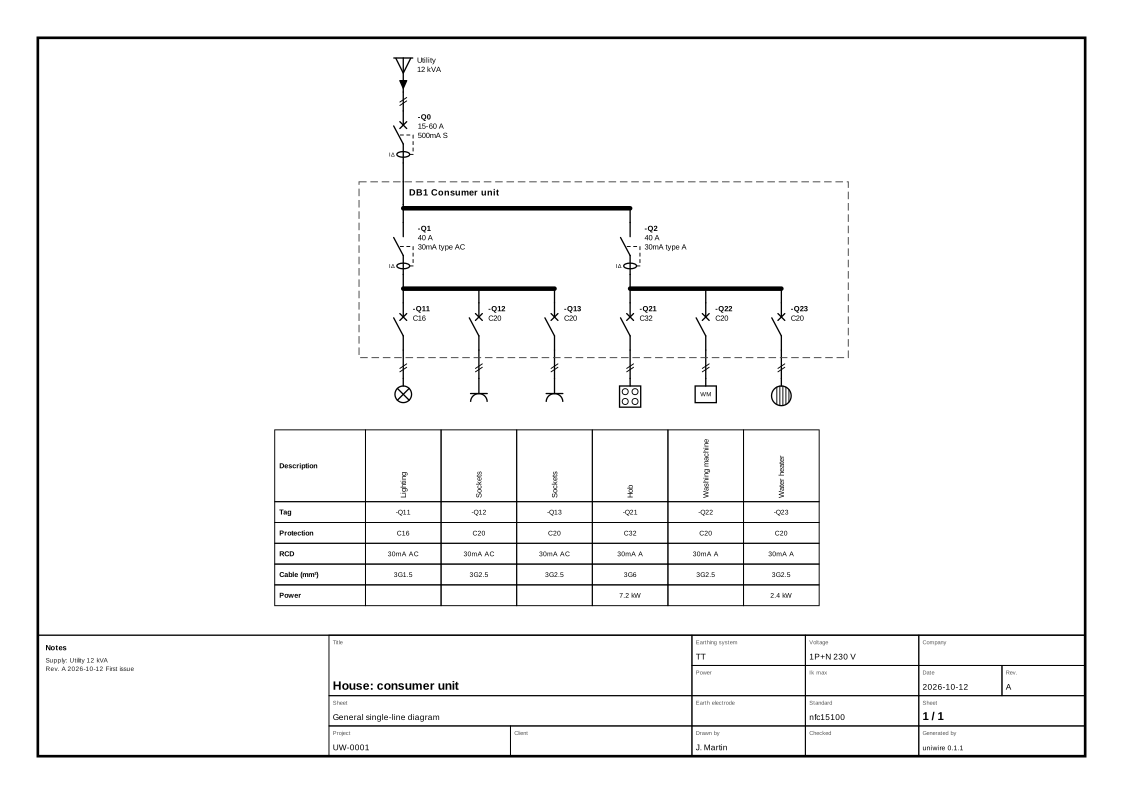
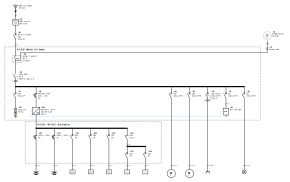
Fig. 1: the file on the left, drawn by the library on the right. Nothing on the sheet was placed by hand.
Hover a line with a ref to find the device on the sheet.
One file, two drawings.
The single-line diagram and the multi-line power diagram come from the same document. The multi-line view needs no extra data: one line per conductor, one contact per pole, RCD toroids, PEN split, motor terminals U V W.
uniwire render house.uniwire.jsonOpen in the viewer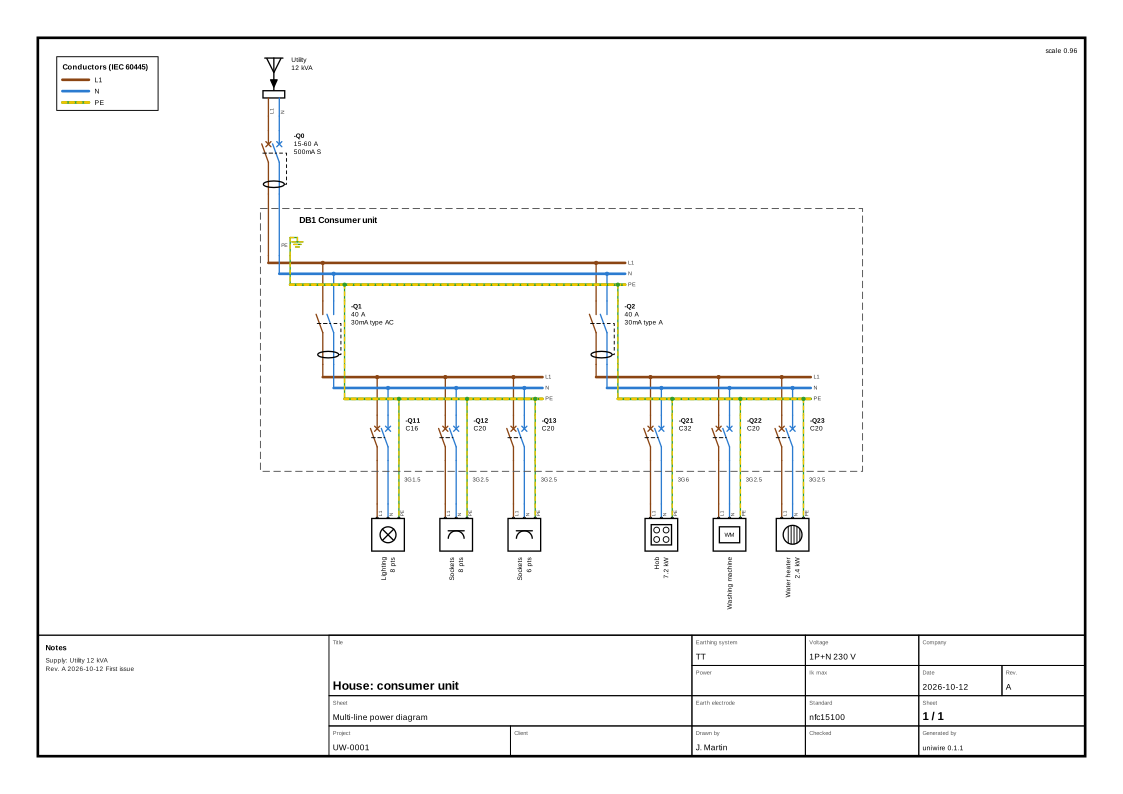
uniwire render house.uniwire.json --kind multi-lineOpen in the viewerColour mode of fig. 3
The colours are the document's own: set "color": "conductors" on a view, pick the iec or us preset, override any of them with a palette.
- Colour by conductor, phase, source, status (existing, new, future, removed) or voltage level: strokes only, texts stay black, legend in a free corner.
- Title block, folio numbering, revisions and notes on every sheet; large boards split across sheets with cross-references.
- SVG and PDF. In the PDF, every “→ sheet 3” is a link and every sheet a bookmark.
Or write it in Python.
The code-first builder writes the same document. with makes an element the parent of what is created inside it, >> chains elements, and ratings and cables are written the way they appear on drawings: "C16", "3G2,5".
from uniwire.build import *

with Installation("House: consumer unit", earthing="TT", system="1P+N", un="230 V",
                  profiles=["nfc15100"], project="UW-0001", author="J. Martin",
                  date="2026-10-12", supply="Utility 12 kVA",
                  revisions=[{"index": "A", "date": "2026-10-12", "description": "First issue"}]) as inst:
    with Grid("Utility", supply="12 kVA"), \
            MainBreaker("-Q0", "15-60 A", "500 mA", selective=True), \
            Board("DB1", label="Consumer unit"):
        with RCD("-Q1", "40 A", "30 mA", type="AC"):
            Breaker("-Q11", "C16", cable="3G1,5") >> Lighting("Lighting", points=8)
            for ref, points in [("-Q12", 8), ("-Q13", 6)]:
                Breaker(ref, "C20", cable="3G2,5") >> Socket("Sockets", points=points)
        with RCD("-Q2", "40 A", "30 mA", type="A"):
            Breaker("-Q21", "C32", cable="3G6") >> Cooking("Hob", kind="hob", p="7,2 kW")
            Breaker("-Q22", "C20", cable="3G2,5") >> Appliance("Washing machine", kind="washing_machine")
            Breaker("-Q23", "C20", cable="3G2,5") >> WaterHeater("Water heater", volume_L=200, p="2,4 kW")
    inst.view(id="sld", paper="A4", cartouche=["label", "ref", "protection", "idn_mA", "cable", "p_kW"])
    inst.view(id="ml", kind="multi-line", paper="A4", color="conductors")

for finding in inst.check():
    print(finding)
inst.save("house.uniwire.json")
inst.render("house.pdf")
This script and the JSON file of fig. 1 produce the same sheet, byte for byte, and the website build checks it.
Loops, functions and your own templates are plain Python: a board per floor, a feeder per motor, a variant per client.
- Format
*.uniwire.json, JSON Schema draft 2020-12- Units
- in the field names:
in_A,idn_mA,section_mm2 - Typing
- closed:
calibreinstead ofin_Ais an error - Types
- 53 node types, from utility grid to EV charger
- Needs
- Python 3.10+ and pydantic
Checked before it is drawn.
Rule profiles catch mistakes while they are still cheap. Here is the house of fig. 1 with three typical errors: a 32 A breaker on 2.5 mm², ten lighting points on one circuit, a hob behind a type AC RCD.
$ uniwire check house.uniwire.json
house.uniwire.json: 5 finding(s)
  ERROR   nfc15100.section [Q12]: 32 A breaker on 2.5 mm² (max 20 A)
  ERROR   nfc15100.points [lighting]: 10 points on a lighting circuit (max 8)
  ERROR   nfc15100.rcd-type-A [cooking]: Hob: type A (or F, B) RCD required, type AC excluded
  ERROR   nfc15100.rcd-type-A [appliance]: Washing machine: type A (or F, B) RCD required, type AC excluded
WARNING nfc15100.rcd-count [Q1]: no type A 30 mA RCD (dwellings: at least 1; set installation.premises for other premises)core- always on: unique tags, rating cascade, transfer switches, keyed interlocks
nfc15100- French dwellings: cross-sections, points per circuit, 30 mA and type A RCDs, circuits per RCD
iec60364- cable current-carrying capacity
- PLC
- slots, channels, coil voltages, WAGO bus end
Each finding carries a level, a stable rule id, the node and, for rules based on a standard, the clause it relies on. These are consistency checks: they do not replace the standard, nor the verification of the installation by a qualified person.
All rules and their sourcesThe library, in your browser.
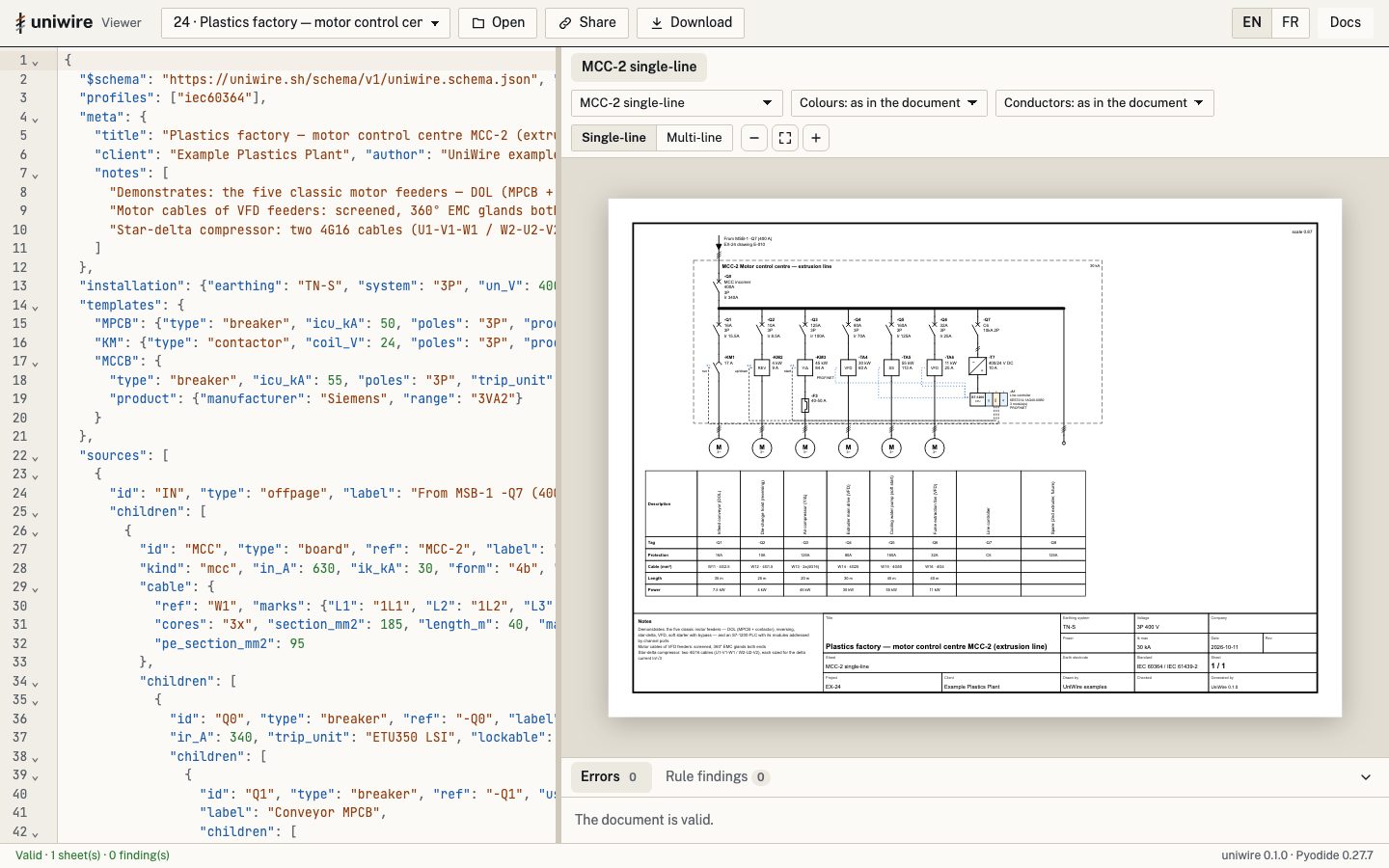
The web viewer runs the real uniwire Python library on Pyodide. Validation messages, findings, drawings and bill of materials are exactly those of the command line, and the document never leaves your machine.
Edit, see
JSON editor with error markers, live re-rendering, one tab per sheet, single-line and multi-line, colour modes.
Explore
Hover a symbol to see what feeds it and what it feeds; follow a conductor across the sheet; click “→ sheet 3” to jump there.
Share
A link carries the whole document, compressed in the URL fragment, which is never sent to a server. Download SVG, PDF or the BOM.
Wire marks, from the same file.
Declare a marking rule in a view (sequential, by potential, or a pattern such as {cable}-{conductor}) and the marks appear on the multi-line drawing and in the wiring lists. Example 24, a motor control centre, numbers its motor wires from 101.
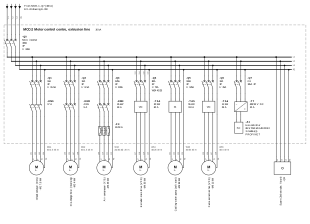
examples/24_factory_mcc_motor_starters.uniwire.json, view marks, title block croppedOpen in the vieweruniwire markers · wire marker list (excerpt)
| mark | end | terminal_display | section_mm2 | enclosure |
|---|---|---|---|---|
| 1L1 | from | IN | 185 | |
| 1L1 | to | MCC-2 | 185 | MCC |
| 1L2 | from | IN | 185 | |
| 1L2 | to | MCC-2 | 185 | MCC |
| 1L3 | from | IN | 185 | |
| 1L3 | to | MCC-2 | 185 | MCC |
| PE | from | IN | 95 | |
| PE | to | MCC-2 | 95 | MCC |
| 101 | from | -KM1 | 2.5 | MCC |
uniwire cables · cable schedule (excerpt)
| ref | cores | section_mm2 | length_m | from | to | cores_used |
|---|---|---|---|---|---|---|
| W1 | 3x | 185 | 40 | IN | MCC | 4 |
| W11 | 4G | 2.5 | 35 | KM1 | M1 | 4 |
| W12 | 4G | 1.5 | 25 | KM2 | M2 | 4 |
| W13 | 4G | 16 | 20 | F3 | M3 | 4 |
| W24 | 4G | 25 | 6 | Q0 | Q4 | 4 |
| W14 | 4G | 25 | 30 | VFD4 | M4 | 4 |
| W15 | 4G | 50 | 45 | SS5 | M5 | 4 |
Also uniwire wires (one row per conductor), uniwire bom (manufacturer, part number, accessories) and uniwire marks --write to freeze the numbering once the panel is built. Stable column names, ready for a label printer or a spreadsheet.
A format machines can write, too.
Closed typing and precise errors make uniwire a good target for code generators and language models. Tell your assistant uniwire.sh: it reads llms.txt (the full reference card included), answers with one JSON document and a link that opens it in the web viewer, drawn and checked. With MCP, the assistant validates, checks, patches and renders by itself.
@uniwire draw the single-line diagram of a small bakery, three-phase 400 V: 12 kW oven, 3 kW dough mixer, cold room, lighting, sockets and a till. Check it and give me the PDF.
ThinkingThought for 1m 1s
- uniwire get_reference_card
- uniwire validate
- uniwire check 0 errors · 0 warnings
- uniwire render
Validation passed …
Download the single-line diagram (PDF)
The design uses six dedicated circuits, each with 30 mA residual-current protection. The total estimated connected load is 21.5 kW.
Important: The automated check passed, but this is a preliminary design, not an electrical compliance certificate. The cold-room compressor characteristics, actual cable lengths, installation conditions, short-circuit levels and supply capacity must be verified before installation.
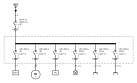
uniwire render, title block croppedOpen in the viewerTool calls from the server logs; the answer is quoted in part (“…” marks a cut). The PDF link opens the editor on the checked document and downloads the PDF drawn by uniwire; here it points to the same document, kept with this page. Without the app, an assistant can follow llms.txt. Setup: uniwire in your assistant.
https://mcp.uniwire.sh/mcpNothing to install. Public mode: no file access, bounded documents, renderings and time per call.
pip install "uniwire[mcp]"
claude mcp add uniwire -- uniwire-mcp{"mcpServers": {"uniwire": {"command": "uniwire-mcp"}}}- Schema
uniwire.sh/schema/v1/uniwire.schema.json- llms.txt
uniwire.sh/llms.txt, full reference card included- Viewer
uniwire.sh/viewer/: paste a document to check and draw it- Card
uniwire card: the format in about 3,100 tokens, generated from the model- Describe
uniwire describe: a deterministic outline with stable ids- Patch
uniwire patch: edits by id:set,add,move,link…- Evals
- 15 tasks that score model-written documents, offline
- Graph
- terminal / connectivity-node graph, CIM, IFC and IEC 61850 SCL mappings
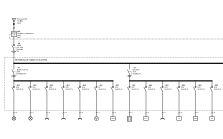
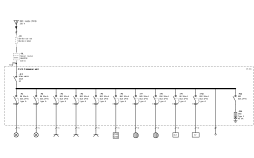
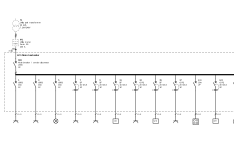
52 installations, drawn by the library.
Dwellings in France, the UK, the US and Germany, shops and offices, an operating theatre and server rooms, motor control centres, MV/LV substations, PV, EV charging, storage, PLCs, a marina, a −48 V telecom shelter. Each one opens in the viewer.
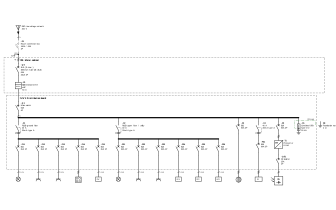
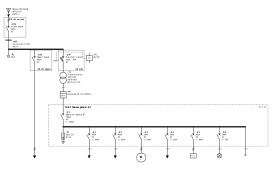
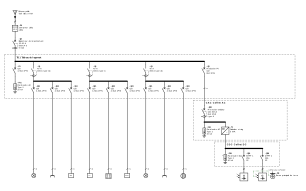
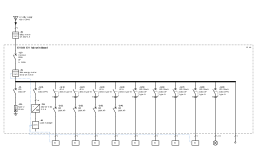
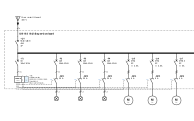
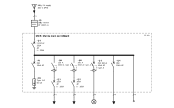
The common language of electrical installations.
The specification is published under CC BY 4.0: write your own reader, exporter or checker, in any language, in commercial software. The reference library and the JSON Schema are Apache-2.0.
Licences
- Code, CLI, JSON Schema: Apache-2.0
- Specification text: CC BY 4.0
- Optional IEC 81346-2 class table: CC BY-SA 4.0, separate package
Governance
Every change to the format goes through a public uniwire Enhancement Proposal: use case, proposal, compatibility, implementation. Minor versions only add; breaking changes wait for 2.0 and come with a migration function.
The UEP processNext: format 2.0
UEP-0001 · Terminals, terminal strips and wires (draft): named ports, terminal strips, wires and cables as objects, potentials. The part the current format can carry (wire marking and the wiring exports) already ships.
Read UEP-0001Three commands to a first sheet.
Install
Python 3.10 or later. The
[pdf]extra adds PDF output.pip install "uniwire[pdf]"Check
Schema, integrity, then the rule profiles named in the document.
uniwire check house.uniwire.jsonDraw
SVG sheets in
out/, or one PDF with bookmarks.uniwire render house.uniwire.json -f pdf